Create Bootable Install USB of macOS Sierra

If you have multiple computers that need the macOS Sierra upgrade, you'll want to create a bootable install flash drive. The download for macOS Sierra is about 5 GB, and could take some time downloading on each computer individually. So downloading it once and making a bootable USB drive is an easier, faster way to go.

1. Download the macOS 10.12 Installer
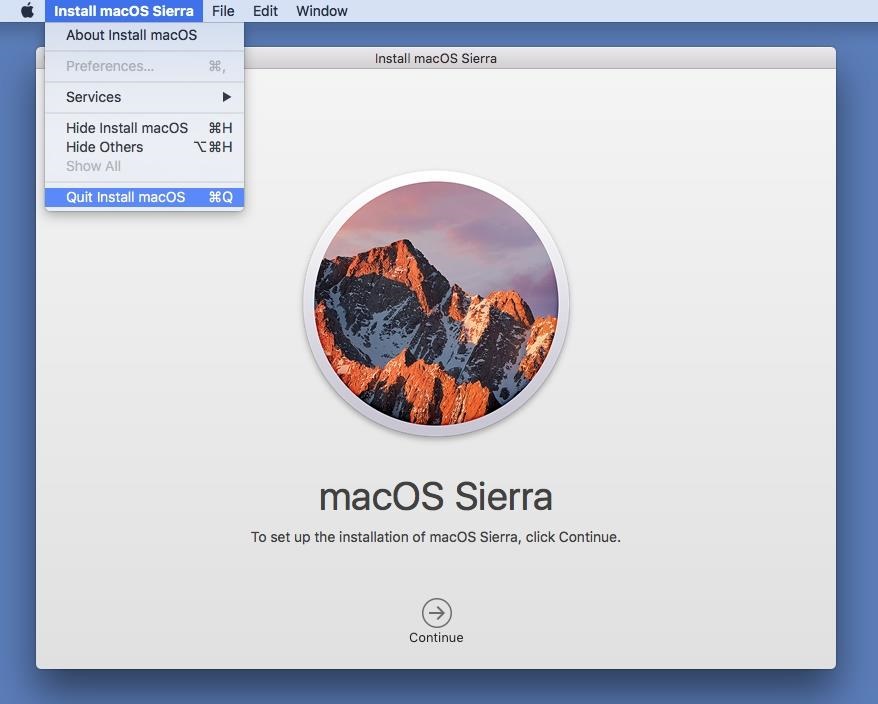
Download the macOS 10.12 Sierra from the Mac App Store (HERE) - but don't install it when it finishes downloading. If you do, it will auto-erase the file when your system gets back up and running, which means you won't have the file for your USB drive. So, close out any installation screen that pops up.

2. Get 'Install Disk Creator'
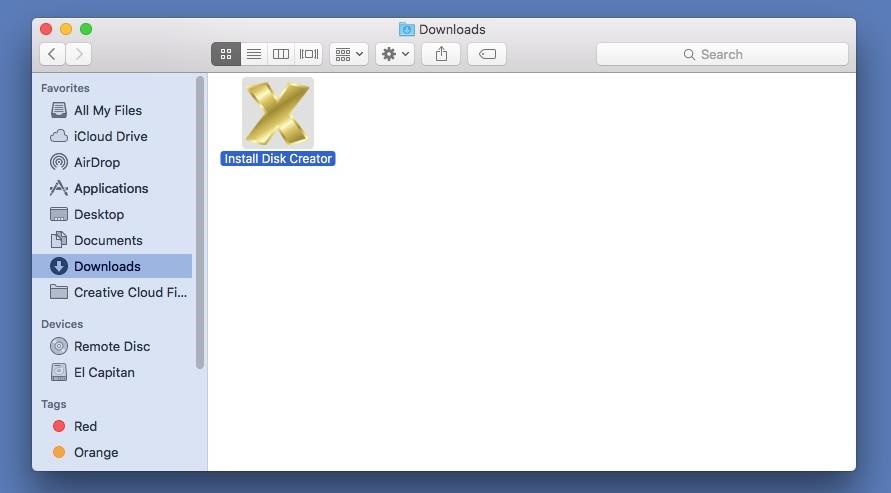
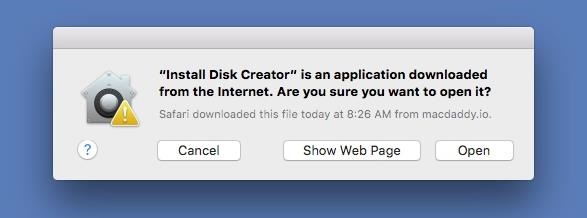
After downloading the app (HERE), unzip it, then open it up. When the popup appears, hit Open. (You may need to adjust your Gatekeeper security settings.)

3. Select Your USB Flash Drive
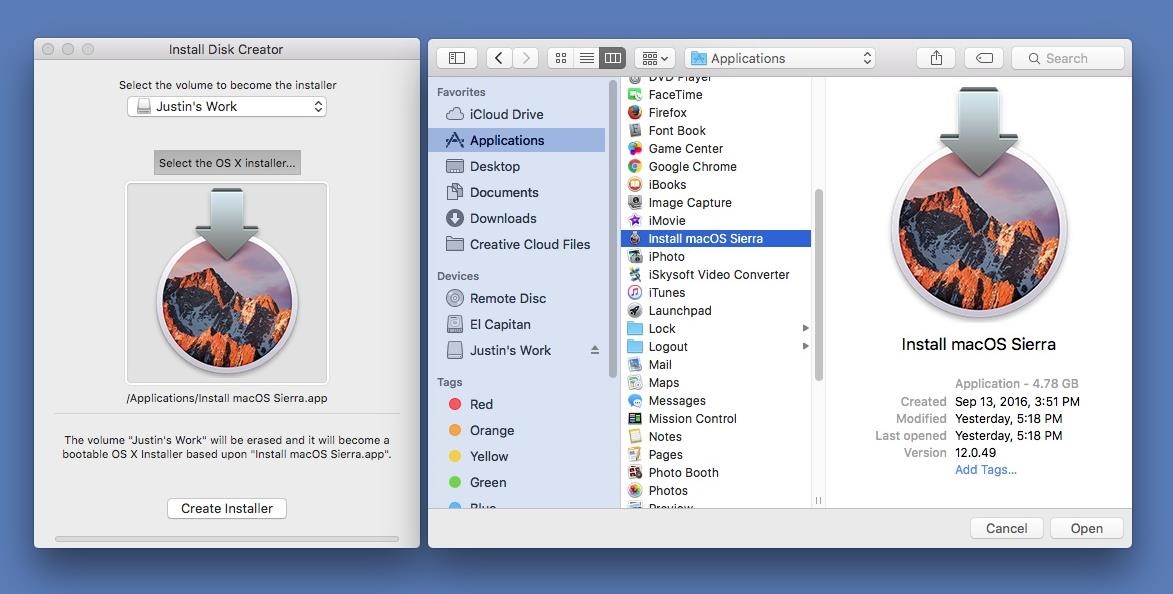
Use a USB flash drive with at least 16 GB of total space. It's possible an 8 GB one will work, but there have been issues with using 8 GB drives for more recent Mac installer files. The following process will totally wipe your USB flash drive, so make sure that you back up all of your important files, if any, before proceeding. When ready, select your flash drive in the drop-down menu in Install Disk Creator.


4. Choose Your Sierra File
Install Disk Creator will automatically detect your "OS X" installer file. If you have an old installer file from El Capitan or Yosemite installed, you might have to choose "Select the OS X installer" button, then navigate to your Applications folder and select "Install macOS Sierra."

5. Erase and Create the New Disk
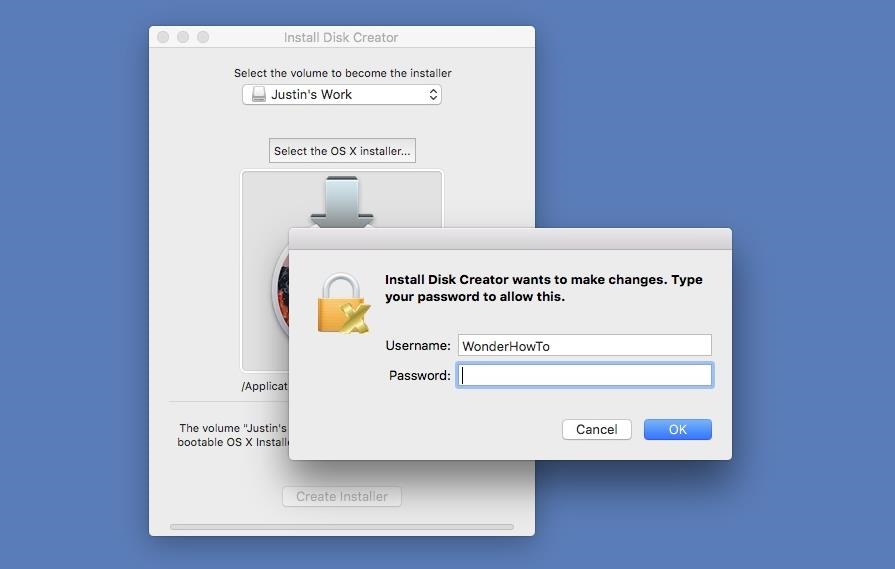
When ready, just hit the "Create Installer" button. You will need to enter your admin password to continue. As mentioned, this will erase your flash drive and turn it into a bootable macOS Sierra drive. So this is your last chance to stop and back up any important files on your flash drive before continuing. When the bootable drive is ready, you'll see a popup telling you so. The whole process takes about 6-7 minutes.

6. Install macOS Sierra on Your Computer
Now that you're all set, it's time to install Sierra on your computer. Most devices are supported, but just in case, check out the basic list of Macs you can install Sierra on below (for features requirements, see here). Also, you'll need OS X 10.75 or later, 2 GB of memory, and at least 8.8 GB of available storage to upgrade your computer.
  • MacBook (Late 2009 or newer)
  • MacBook Pro (Mid 2010 or newer)
  • MacBook Air (Late 2010 or newer)
  • Mac mini (Mid 2010 or newer)
  • iMac (Late 2009 or newer)
  • Mac Pro (Mid 2010 or newer)
With your bootable USB drive inserted in your computer, restart your Mac, then hold the Option (alt) key down on your keyboard until the Startup Manager appears. Select the macOS Sierra drive to continue. The macOS Utilities will open. Just select "Install macOS" from the list of options, then follow all of the on-screen prompts to start the installation process. After that, all you have to do is wait for it to boot back up with your new Sierra operating system!

Credit: gadgethacks.com

Apple Giving Up Your Phone, Tablet, Mac?

iOS 11 is on the way this fall. Apple says users can expect some big changes including more smart home uses, a complete redesign of the App Store and the largest update for an iPad that the company has ever done. iPads will also be getting a file manager system.

The company also says that Siri will be getting a more normal sounding voice and start using your Safari searches to make suggestions and also to correct your spelling.

But, as with all change, some things get left behind. In this case, it’s these devices:
  • iPad 4
  • iPhone 5
  • iPhone 5C

You could still use them, just not with the new OS. And if you can’t upgrade to the newest OS, you’re going to soon see the end of security and bug support for these systems.

You’ll need at least an iPad Air or and iPhone 5S to use iOS 11. Remember, support for 32-bit apps is ending soon as well. Thousands of apps won’t work with iOS 11.

There’s also a new operating system on the way for Macs called macOS High Sierra. The good news is that if you’re running macOS Sierra, you can run High Sierra.

Mac Pros, Mac minis, MacBook Airs, and MacBook Pros from 2010 or later can handle High Sierra, as can MacBooks, iMacs, and iMac Pros made in late 2009 or later.

Credit: worldstart.com

Apple Unveils All-new App Store

On Monday, June 5, Apple unveiled the all-new App Store, designed from the ground up to make discovering apps and games easier than ever before. The beautifully redesigned App Store is packed with original stories and editorial, updated daily in a new Today tab, as well as new Games and Apps tabs.

Compelling stories, in-depth interviews, helpful tips and collections of must-have apps and games will showcase Apple’s unique perspective and aim to inform, help and inspire customers every day.

App Store customers have now downloaded more than 180 billion apps and Apple has paid out over $70 billion to developers since the store launched in 2008, making it the most vibrant software marketplace in the world.

Read the complete news release > HERE.

New 10.5 inch iPad Pro

Yesterday Apple introduced an all-new 10.5-inch iPad Pro and a new 12.9-inch iPad Pro, featuring the world’s most advanced display with ProMotion technology and incredible performance with the new A10X Fusion chip.

The new 10.5-inch model reduces the borders by nearly 40 percent to fit into an incredibly compact package that still weighs just one pound. Combined with powerful new iPad features in iOS 11 coming this fall, like the all-new Files app, customizable Dock, improved multitasking and deeper integration of Apple Pencil, iPad Pro gives users the ability to be even more productive and creative. 

Read the complete news release > HERE.

Apple Previews iOS 11

Apple today previewed iOS 11, a major update to the world’s most advanced mobile operating system, bringing new experiences and hundreds of features to iPhone and iPad this fall. 

iOS 11 is the biggest software release ever for iPad, with powerful multitasking features, the Files app and more ways to use Apple Pencil. Augmented reality is coming to hundreds of millions of iOS devices with a new platform for developers to build apps that let users place virtual content on top of real-world scenes. 

Additional features include the ability to pay friends using Apple Pay, Do Not Disturb while driving to help users stay more focused on the road, even more intelligence and a new voice for Siri and new professional capabilities to Photos and Camera. 

iOS 11 is available as a developer preview today and will be a free software update for iPhone and iPad this fall. 

Read the complete news release > HERE.

My Favorite Mobile Apps

My phone and tablet have these 10 favorite apps. The App Store ratings, shown after the app name, are based on the 5 star system.

Calendarium (4-1/2 stars) by Idea Studio
Learn about today and discover interesting things in the past, too. You can easily move forward or backward from today and read through history. Each timeline item has links to various Wikipedia articles.

Daily App Advice (4-1/2 stars) by AppAdvice.com
Formally called Apps Gone Free, each day they show you a detailed list of the best apps that can be downloaded for free on that day. Their description will link you through to the App Store where you can read more and check the reviews before installing.

Google Earth (3-1/2 stars) by Google, Inc.
If you like maps and satellite views you'll love this app. Fly around the planet with a swipe of your finger. Zero in on your house in Oak Run. Explore distant lands or reacquaint yourself with your childhood home. Search for cities, places and businesses.

Gummy Drop! (4-3/4 stars) by Big Fish Games, Inc.
Way better than Candy Crush. A positively addictive match 3 game with thousands of levels across dozens of cities around the world. Excellent graphics. Warning: you won't want to stop playing!

Jigsaw Puzzle (4-1/2 stars) by Critical Hit Software, LLC
The most popular jigsaw puzzle app on the App Store. Numerous settings to customize it just right for you. Plenty of adjustments to make it more challenging. Daily free puzzles and sales on puzzle packs quite often.

Kindle (4-1/2 stars) by AMZN Mobile, LLC
A great way to read your purchased eBooks or the library books you've checked out. Lots of features to make your experience enjoyable. The dictionary is always helpful and font type and size is adjustable. Perfect for a tablet.

Radar HD (4-1/2 stars) by Elecont LLC
Both satellite and radar images are available in high resolution. Fully customizable with predictive (future) radar, too. Color coded precipitation, storm information and weather alerts. You can add place markers for your favorite locations.

Sky Live (5 stars) by Vito Technology, Inc.
A great app for planning star observations. Shows which planets, stars and constellation will be above the horizon, what the weather will be like, the visibility score and much more. Accurate hourly conditions are estimated using seven criteria.

Solitaire (4-1/2 stars) by MobilityWare
The original solitaire. Solve the Daily Challenge and receive a crown each day and a trophy for the month. The Winning Deals feature lets you adjust the percentage of games that are guaranteed to have at least one winning solution.

TV Guide Mobile (3-1/2 stars) by TV Guide
The ultimate TV companion. A great way to see what's on today and for the next week or so. Easy to adjust date, time and provider settings. Listing grid swipes in all directions. You can watch full episodes and get exclusive news.

For Your Information:
Posts are presented in a stack with the most recent post at the top. Clicking Older Posts will show the next (#) older posts and so forth. Clicking Newer Posts will show the previous (#) newer posts. Clicking on the word Home will display the top (#) most recent posts. When viewing a single post, clicking Older or Newer Post shows a single post each time, but, clicking Home displays the top (#) most recent posts. There are 326 posts in the stack, as of 9-15-19.